Free disk space analyzer for macOS
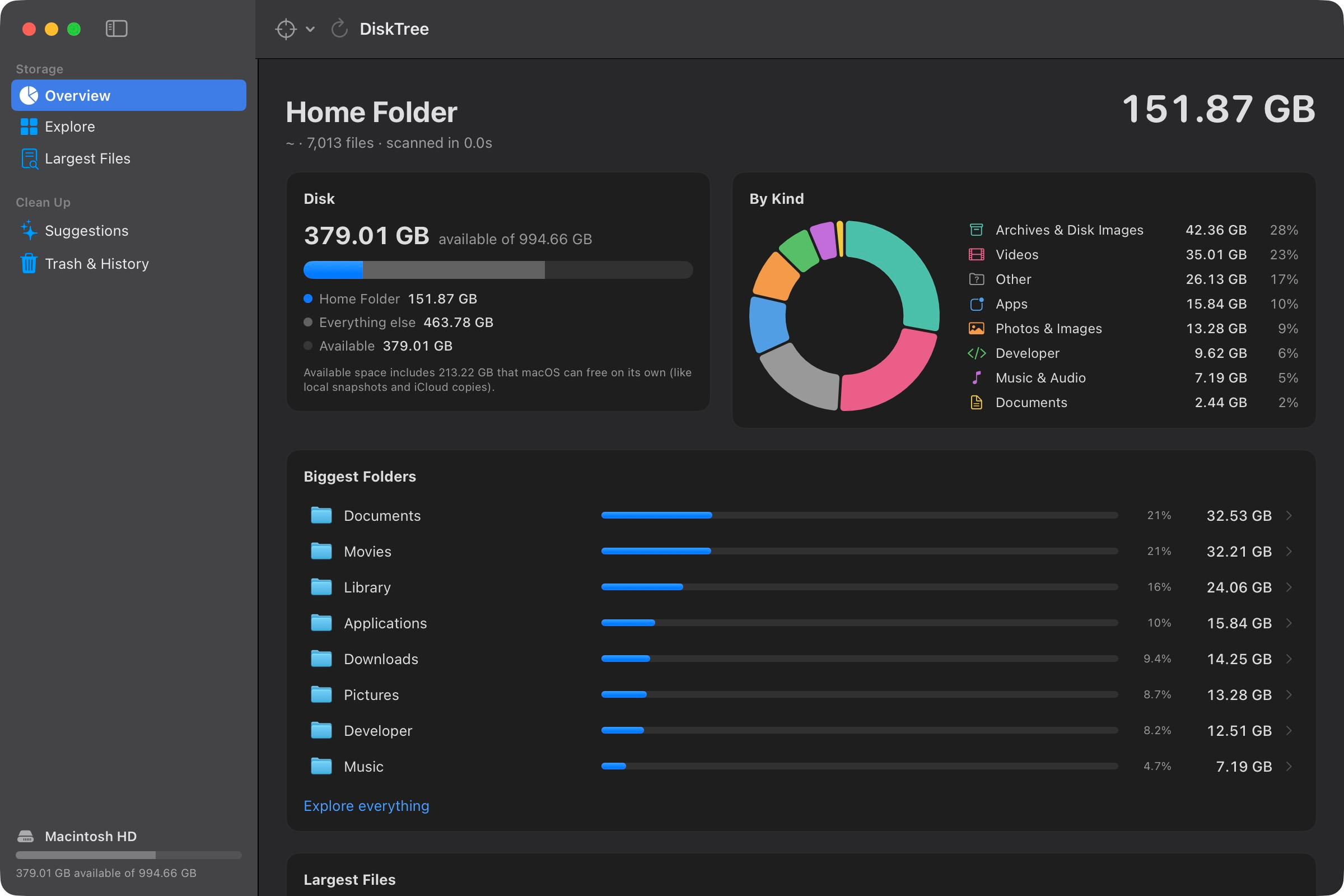
DiskTree draws your whole disk to scale, so the forgotten backups and build folders eating your storage are impossible to miss. Then it helps you clear them out, safely.
↑ A pretend disk, not yours. Tags show what the real app would do with each block.
System Settings gives you one gray bar labeled "System Data." DiskTree gives you a map. Each block is a folder or file, sized by how much room it really takes. Click a folder to dive in.
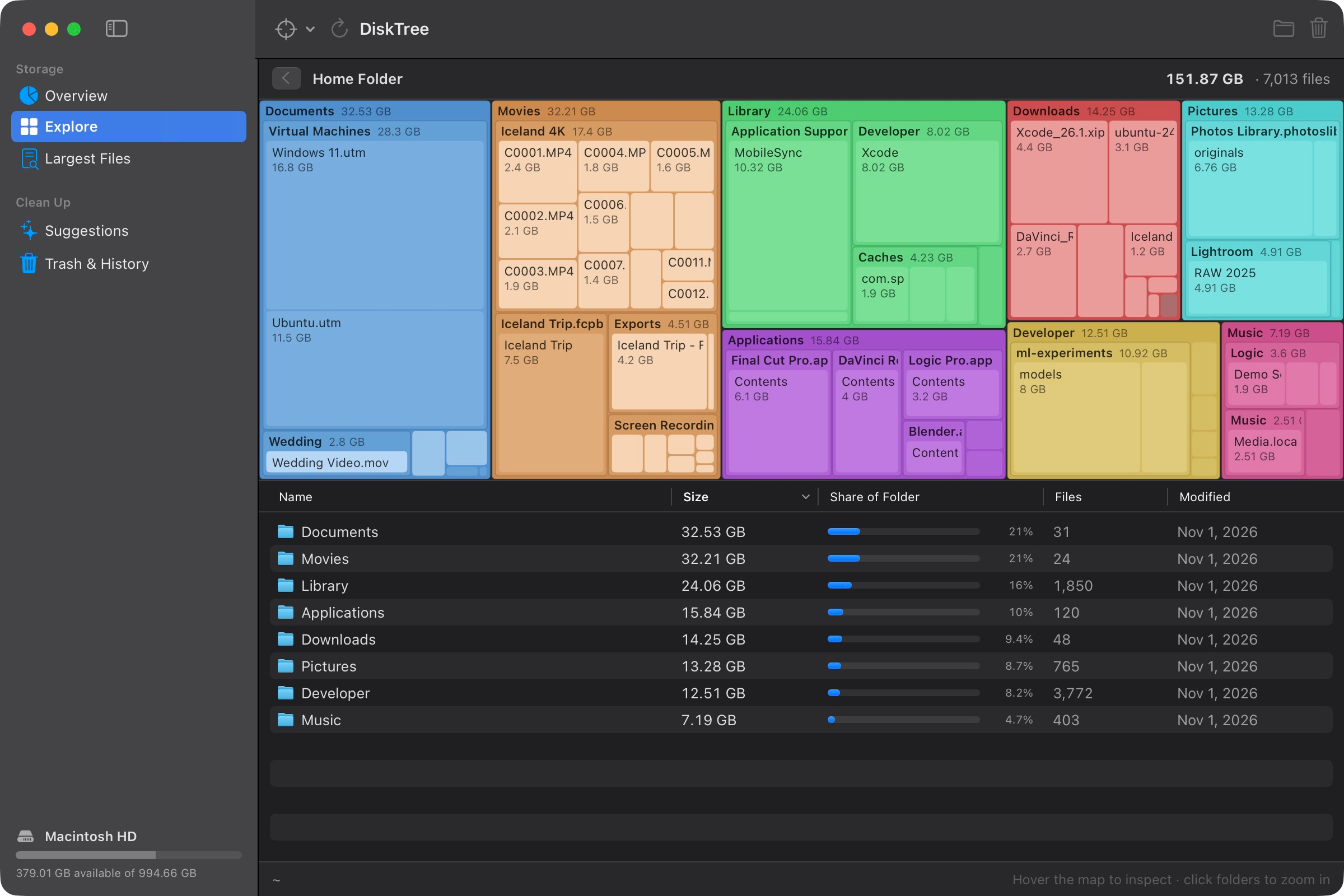
Your home folder, the whole disk, Applications, or any folder or external drive.
A zoomable treemap and a sorted list, color-coded by kind: video, photos, apps, archives, code.
Select anything and press Delete, or take the cleanup suggestions.
Everything goes to the Trash first. Put it back with one click.
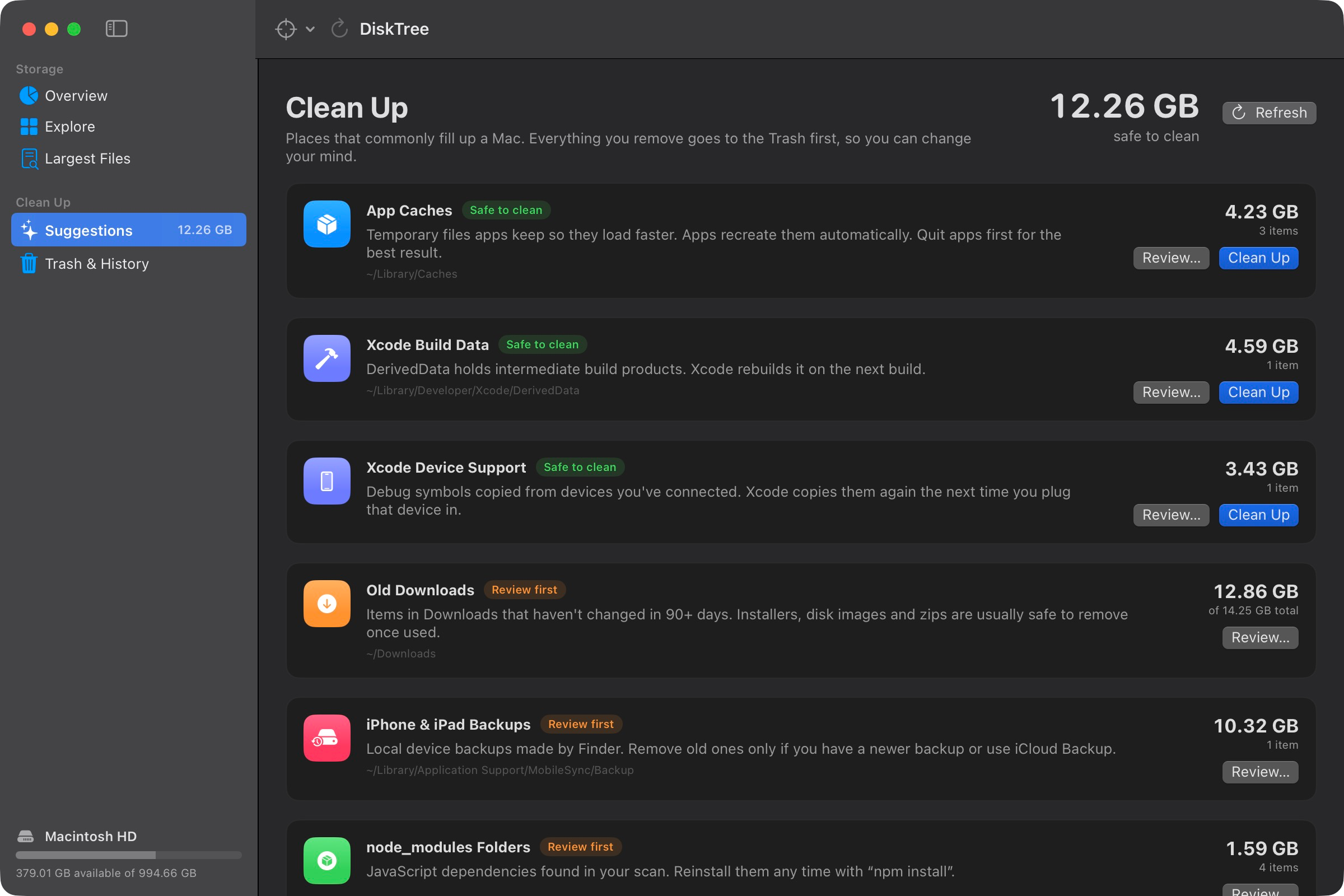
Most cleaners either do nothing useful or delete too much. DiskTree knows where Macs quietly fill up, tells you honestly what's safe, and refuses to touch what isn't.
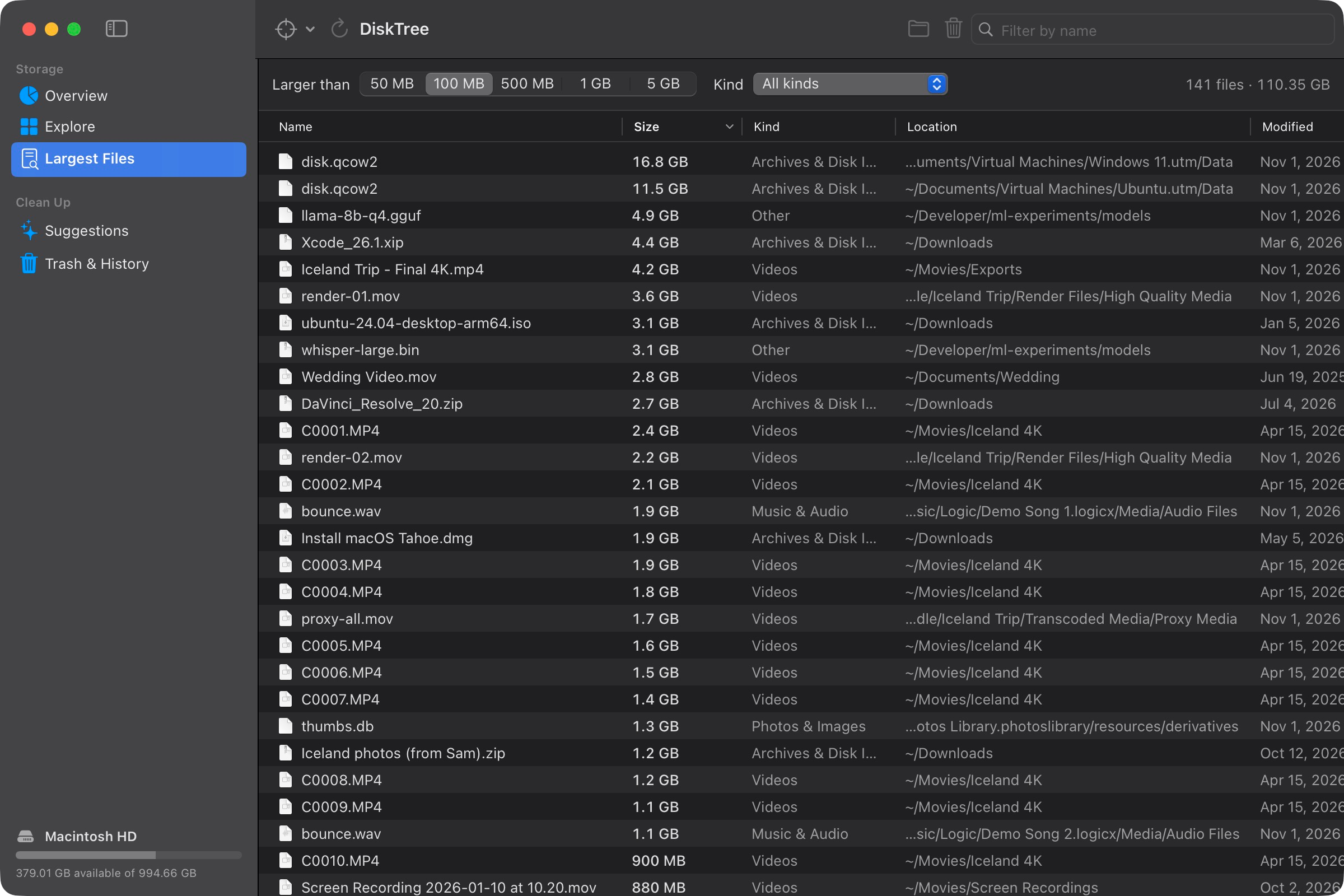
Every file over 50 MB in one sortable list, filtered by size and kind. Disk images, old VMs and 4K exports float straight to the top.
Every suggestion says how safe it is before you touch it.
DiskTree never deletes outright. Every item goes to the Trash and is logged, so you can put it back where it was. Empty the Trash right from the app when you're sure.
No network access, no analytics, no account. It reads file sizes, not file contents, and never downloads iCloud files just to measure them.
If you write code, your Mac is full of things that rebuild themselves. DiskTree finds them.
1.4 MB
SwiftUI, no dependencies. Scans run on several threads with bulk directory reads.
A native Mac app that follows your system's light or dark appearance and feels like it came with your Mac.


Three ways in. All free, all the same app. Requires macOS 14 Sonoma or later, on Apple silicon or Intel.
Unzip, drag DiskTree to Applications, then right-click it and choose Open the first time.
DiskTree.zipPaste into Terminal. It installs the latest release to ~/Applications and opens it, with no security prompt.
$ curl -fsSL https://alx-kap.github.io/DiskTree/install.sh | bash
Needs Swift 5.9+ from Xcode or the Command Line Tools. No dependencies.
git clone https://github.com/alx-kap/DiskTree.git
cd DiskTree
./install.shThe first time you open the downloaded app, macOS says it can't verify the developer. That's because DiskTree isn't notarized, which requires a paid Apple developer account. Right-click the app and choose Open, or click Open Anyway in System Settings › Privacy & Security. The one-line install and building from source both skip this.
Still wondering? Open an issue on GitHub.
Yes. DiskTree is open source under the MIT license. No trial, no subscription, and no "upgrade to delete" button at the end of a scan.
Never. It only moves what you pick to the Trash, and Trash & History can put items back until you empty the Trash.
Much of what macOS calls System Data lives in your home folder's Library: caches, logs, device backups, Xcode and Simulator files. Scan your home folder and DiskTree shows which of those are taking up room. Space macOS can free by itself, like local snapshots, is shown separately so you're not chasing it.
No. Without it, macOS keeps a few protected folders (like Mail and Messages data) and the inside of the Trash private. Everything else scans normally, and DiskTree tells you when something couldn't be read.
DiskTree is a free, open-source alternative that pairs the visual map with guided cleanup and an undo history, and it knows about developer clutter like DerivedData, Simulator caches and node_modules.
Yes. The download is a universal app that runs natively on Apple silicon and Intel Macs with macOS 14 Sonoma or later.
Find out what's filling your Mac in the time it takes to make coffee. Free, open source, and 1.4 MB.
Download DiskTreemacOS 14+ · Apple silicon & Intel